

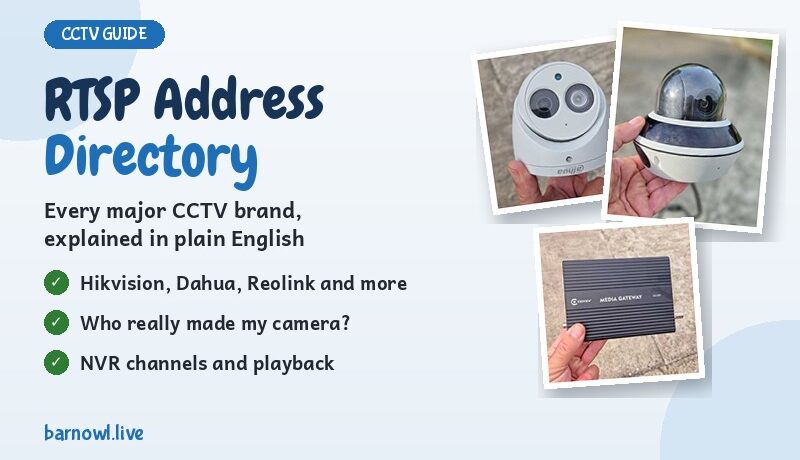
RTSP Addresses for CCTV Cameras: A Brand by Brand Directory

If you've ever tried to get a CCTV camera into OBS, a streaming box or VLC, you'll know the hardest part is often finding the right RTSP address. Every brand does it differently, and the information is scattered all over the internet, often out of date or badly translated.
So I've put together the addresses I find myself looking up most often, brand by brand, in plain English. I've been working with CCTV for over 30 years, and these are the formats I'd use myself. If you're setting up a wildlife or nest box camera, my guide to CCTV nest box cameras and RTSP streaming explains how it all fits together.
Short on time? Use my free RTSP address builder. Pick your brand, type in the IP address, and it writes the address for you.
Before you start: addresses can vary between models and firmware versions, so always test yours in VLC before using it anywhere else.
How to use these addresses
Every address on this page uses 192.168.1.100 as the camera's IP address. That's just an example, so always swap it for your own. The parts to change are highlighted like this: 192.168.1.100.
- Camera plugged into your router or switch: use the camera's own IP address.
- Camera plugged into an NVR: use the NVR's IP address, plus the channel number the camera is on.
- Logging in: streaming boxes usually have separate boxes for the username and password. In OBS and VLC, add them to the address straight after
rtsp://, like this:rtsp://admin:MyPassword123@192.168.1.100:554/… - Port: most cameras use 554. If it's the standard 554, you can usually leave it out.
Password not working? Special characters such as @, :, / and # break the address. Either use letters and numbers in the camera's password, or swap the character for its web code: @ becomes %40 and # becomes %23.
Who really made my camera?
Here's a secret of the CCTV world: cameras sold under hundreds of different names are actually made by a handful of factories, and use their addresses. The easiest clue is the app the camera uses.
| If your camera uses this app | It's probably made by | Use the address for |
|---|---|---|
| Hik-Connect, iVMS-4500, HiLookVision or Guarding Vision | Hikvision | Hikvision |
| DMSS, gDMSS or Amcrest View Pro | Dahua | Dahua |
| Imou Life | Dahua | Imou |
| XMEye or ICSee | Xiongmai | Xiongmai |
| SuperLive Plus | TVT | TVT |
| V380 Pro | Various budget makers | V380 |
| CamHi or CamHipro | Various budget makers | CamHi |
| Yoosee | Various budget makers | Yoosee and ONVIF |
My free RTSP address builder has the same list built in. Just pick your app, and it chooses the right format for you.
Quick finder
Add the part below to rtsp://192.168.1.100:554. Click a brand for its full details.
| Brand | Main stream | Substream |
|---|---|---|
| Hikvision, HiLook, HiWatch, Annke | /Streaming/Channels/101 | /Streaming/Channels/102 |
| Dahua, Amcrest, Lorex, IC Realtime | /cam/realmonitor?channel=1&subtype=0 | /cam/realmonitor?channel=1&subtype=1 |
| Reolink | /h264Preview_01_main | /h264Preview_01_sub |
| TP-Link Tapo | /stream1 | /stream2 |
| Uniview | /unicast/c1/s0/live | /unicast/c1/s1/live |
| Axis | /axis-media/media.amp | add ?resolution=640x360 |
| Hanwha (Samsung) | /profile2/media.smp | another profile number, see below |
| Vivotek | /live.sdp | /live2.sdp |
| Foscam (port 88) | /videoMain | /videoSub |
| Imou | /cam/realmonitor?channel=1&subtype=0 | /cam/realmonitor?channel=1&subtype=1 |
| Milesight | /main | /sub |
| TVT | /chID=1&streamType=main | /chID=1&streamType=sub |
| V380 Pro cameras | /live/ch00_0 | /live/ch00_1 |
| CamHi cameras | /11 | /12 |
| Yoosee | /onvif1 | /onvif2 |
Brand by brand
Hikvision, HiLook, HiWatch and Annke
HiWatch, Annke and many other own brand cameras are made by Hikvision and use the same addresses.
Hikvision addresses end in a three digit number. The first digit is the camera channel, and the last two are the stream: 01 for the main stream, 02 for the substream and 03 for the third stream, if your camera has one.
Main stream, camera on its own
rtsp://192.168.1.100:554/Streaming/Channels/101Substream
rtsp://192.168.1.100:554/Streaming/Channels/102Third stream
rtsp://192.168.1.100:554/Streaming/Channels/103Camera on channel 12 of an NVR, main stream
rtsp://192.168.1.100:554/Streaming/Channels/1201Older Hikvision equipment also understands an older style of address, such as rtsp://192.168.1.100:554/h264/ch1/main/av_stream, with sub instead of main for the substream. You rarely need it now. One thing to watch: on older NVRs using that old style, the network camera channels started at 33 rather than 1, which confuses a lot of people. With the modern addresses above, the channels simply start at 1.
Dahua, Amcrest, Lorex and IC Realtime
Amcrest, IC Realtime and most Lorex network cameras and NVRs are made by Dahua and use the same format.
Dahua addresses include the channel number and the stream: subtype=0 is the main stream, subtype=1 is the substream, and subtype=2 is the third stream on cameras that have one.
Main stream, camera on its own
rtsp://192.168.1.100:554/cam/realmonitor?channel=1&subtype=0Substream
rtsp://192.168.1.100:554/cam/realmonitor?channel=1&subtype=1Camera on channel 4 of an NVR, main stream
rtsp://192.168.1.100:554/cam/realmonitor?channel=4&subtype=0Reolink
Reolink cameras are very popular for wildlife. RTSP may need switching on first, in the camera's network settings under advanced port settings.
Main stream
rtsp://192.168.1.100:554/h264Preview_01_mainSubstream
rtsp://192.168.1.100:554/h264Preview_01_sub4K and other H.265 models, main stream
rtsp://192.168.1.100:554/h265Preview_01_mainOn an NVR, change 01 to the channel number, for example h264Preview_03_main for channel 3.
TP-Link Tapo
Before RTSP will work, open the Tapo app, go into the camera's advanced settings and create a Camera Account. That username and password are what you use in the address, not your normal Tapo login.
Main stream
rtsp://192.168.1.100:554/stream1Substream
rtsp://192.168.1.100:554/stream2Uniview (UNV)
Uniview addresses use s0 for the main stream and s1 for the substream, and c1 is the channel.
Main stream
rtsp://192.168.1.100:554/unicast/c1/s0/liveSubstream
rtsp://192.168.1.100:554/unicast/c1/s1/liveMany Uniview cameras also accept the simpler rtsp://192.168.1.100:554/media/video1, with video2 for the substream.
Axis
Axis uses one address, and you can add settings to the end to choose the video type and size.
Main stream
rtsp://192.168.1.100:554/axis-media/media.ampChoosing H.264 at 1080p
rtsp://192.168.1.100:554/axis-media/media.amp?videocodec=h264&resolution=1920x1080Hanwha Vision (formerly Samsung Wisenet)
Hanwha cameras use numbered profiles. Profile 2 is usually the H.264 main stream, but the profiles can be changed in the camera, so check which one you want.
Profile 2
rtsp://192.168.1.100:554/profile2/media.smpVivotek
Vivotek cameras number their streams one after another.
Stream 1
rtsp://192.168.1.100:554/live.sdpStream 2
rtsp://192.168.1.100:554/live2.sdpUbiquiti UniFi Protect
UniFi cameras don't have a fixed address. In UniFi Protect, open the camera's settings, go to Advanced, and switch on RTSP for the quality you want. Protect then shows you a unique address with its own code at the end. It usually starts with rtsps:// and uses port 7441, the secure version of RTSP.
Foscam
Note that Foscam cameras often use port 88 rather than 554.
Main stream
rtsp://username:password@192.168.1.100:88/videoMainSubstream
rtsp://username:password@192.168.1.100:88/videoSubEZVIZ
EZVIZ is Hikvision's consumer brand.
On models that support RTSP, the username is admin and the password is the six letter verification code printed on the camera's label.
Main stream
rtsp://admin:VERIFICATIONCODE@192.168.1.100:554/h264/ch1/main/av_streamXiongmai (XM) and many budget cameras
Xiongmai makes the insides of a huge number of cheap cameras and DVRs sold under other names.
These cameras put the login details inside the address itself. Change stream=0 to stream=1 for the substream.
Main stream
rtsp://192.168.1.100:554/user=admin&password=yourpassword&channel=1&stream=0.sdp?Yoosee and other ONVIF cameras
Lots of budget WiFi cameras, including Yoosee, give their stream through ONVIF, a common standard many brands share.
Yoosee
rtsp://192.168.1.100:554/onvif1If your camera says it supports ONVIF but you can't find its address, see my brand isn't listed below.
Imou
Imou is Dahua's home range, so it uses the Dahua format. The username is admin, and the password is the safety code printed on the camera's label.
Main stream
rtsp://admin:SAFETYCODE@192.168.1.100:554/cam/realmonitor?channel=1&subtype=0Milesight
Milesight keeps it nice and simple.
Main stream
rtsp://192.168.1.100:554/mainSubstream
rtsp://192.168.1.100:554/subTVT and its own brand cameras
TVT makes cameras and recorders for lots of other brands, often used with the SuperLive apps. On a recorder, change chID=1 to the channel number.
Main stream
rtsp://192.168.1.100:554/chID=1&streamType=mainSubstream
rtsp://192.168.1.100:554/chID=1&streamType=subV380 Pro app cameras
A huge number of budget WiFi cameras use the V380 Pro app, whatever name is on the box.
Main stream
rtsp://192.168.1.100:554/live/ch00_0Substream
rtsp://192.168.1.100:554/live/ch00_1CamHi app cameras
Another very common family of budget cameras, using the CamHi or CamHipro app.
Main stream
rtsp://192.168.1.100:554/11Substream
rtsp://192.168.1.100:554/12Wyze
Only some Wyze cameras support RTSP, and only with Wyze's special RTSP firmware. Once it's installed, you set the RTSP login in the Wyze app.
Stream
rtsp://192.168.1.100/liveEufy
Only some Eufy cameras support RTSP. Where they do, switch it on and set the login in the Eufy Security app.
Stream
rtsp://192.168.1.100/live0Cameras that don't do RTSP
Some very popular home cameras don't offer RTSP at all, so they can't be streamed into OBS or a streaming box this way. These include Ring, Google Nest, Arlo and Blink. They're designed to work only through their own apps and cloud services. If you want to stream a camera, it's worth checking it supports RTSP before you buy.
Streaming a wildlife webcam to YouTube
I first put this together for people setting up wildlife cameras, and it's exactly how every camera on Barn Owl Live works. Our barn owl webcam, tawny owl nest box camera and badger and fox camera are all ordinary IP CCTV cameras. Each one sends its picture over RTSP to a streaming box, which streams it live to YouTube, 24 hours a day.
So if you'd like to run your own wildlife webcam, whether it's a barn owl nest box, a bird box in the garden or a camera watching for badgers and foxes, the RTSP address is the key that connects your camera to YouTube. Once you have it, it goes into OBS or a streaming box, and from there to your YouTube channel.
- Choosing and fitting the camera: my guide to CCTV nest box cameras covers why I always use IP cameras, mini PTZ cameras, infrared and lighting.
- Going live on YouTube: see how to live stream your wildlife cameras to YouTube.
- Building the box: see how I make owl nest boxes from old whisky barrels, with cameras built in.
- Seeing it in action: watch our live barn owl webcam and the other live wildlife cameras from the Peak District.
Watching recorded footage over RTSP
This is a handy trick that not many people know. As well as the live picture, many Hikvision and Dahua NVRs will play back recorded footage over RTSP. You give the address a start time and an end time, and the NVR plays the recording from that period. It's great for pulling a clip of something your camera caught overnight.
Hikvision playback
Use tracks instead of Channels. The times are written as year, month, day, then a T, then hours, minutes and seconds, and a Z at the end means the time is in UTC (GMT).
rtsp://192.168.1.100:554/Streaming/tracks/101?starttime=20261005T210000Z&endtime=20261005T211500ZThat plays channel 1 from 9pm to 9:15pm UTC on 5 October 2026.
Dahua playback
Dahua writes the times with underscores between each part.
rtsp://192.168.1.100:554/cam/playback?channel=1&subtype=0&starttime=2026_10_05_21_00_00&endtime=2026_10_05_21_15_00Using the command line? If you test a playback address in a command window, put the whole address inside double quotes. The & symbol has a special meaning there, and without quotes it splits the address into pieces.
My brand isn't listed
- Check whether it's made by someone else. Many own brand cameras are made by Hikvision, Dahua or Xiongmai and use their addresses. Try those first.
- Use ONVIF Device Manager. If your camera supports ONVIF, this free Windows tool can find it on your network and show you its exact stream address. Get ONVIF Device Manager.
- Search iSpyConnect's camera database. It's a huge, crowd sourced list of camera models and their addresses, kept up to date by its users. Search the iSpyConnect database.
- Check the manual or support pages. Search for your camera's model number and "RTSP".
- Ask in the chat. If you're stuck, ask me on one of the live streams. I'm always happy to talk CCTV.
Test it in VLC
VLC is a free video player that opens RTSP streams without any fuss, so it's the best way to check an address before using it in OBS or a streaming box. Download it from videolan.org, click Media, then Open Network Stream, paste in your address with your username and password included, and click Play.
If VLC shows the picture, the address is right, and any problem is in your other software. If it doesn't, check the IP address, the channel number, the password and that RTSP is switched on in the camera.
Keep it secure
- Change default passwords as soon as you set a camera up.
- Never open RTSP to the internet by forwarding ports on your router. Your software only needs to reach the camera on your home network.
- Keep firmware up to date.
Questions people ask
How do I stream a wildlife webcam to YouTube?
Use an IP CCTV camera, find its RTSP address, and put that address into OBS on a computer or a streaming box such as the Kiloview MG300, which sends the picture live to your YouTube channel. Some cameras with RTMP can stream to YouTube on their own. This is how all the Barn Owl Live wildlife cameras are streamed.
What is the default RTSP port?
554 on most CCTV cameras and NVRs. A few brands use something different, such as Foscam on port 88, and UniFi Protect on 7441 for its secure RTSPS stream.
How do I find the RTSP address of my camera?
Look up your brand in a directory like this one, then swap in your camera's IP address. If your brand isn't listed, a free tool called ONVIF Device Manager can usually find the address for you. Always test it in VLC first.
What is the RTSP address for a Hikvision camera?
rtsp://username:password@IP:554/Streaming/Channels/101 for the main stream, 102 for the substream and 103 for the third stream. On an NVR, the first digit is the channel number.
What is the RTSP address for a Dahua camera?
rtsp://username:password@IP:554/cam/realmonitor?channel=1&subtype=0 for the main stream. Use subtype=1 for the substream, and change the channel number for cameras on an NVR.
Can I watch recorded CCTV footage over RTSP?
Yes, on many Hikvision and Dahua NVRs. The playback address includes a start and end time, and the NVR plays back the recording from that period.
Why won't my RTSP address work?
The most common reasons are a wrong IP address, the wrong channel number on an NVR, a password with special characters such as @ or #, or RTSP being switched off in the camera's settings.
How do I find out who really made my CCTV camera?
Check which app it uses. Cameras using Hik-Connect are made by Hikvision, DMSS by Dahua, and XMEye or ICSee by Xiongmai, and they use those makers' RTSP addresses.
Do Ring, Nest, Arlo and Blink cameras support RTSP?
No. They only work through their own apps and cloud services, so they can't be streamed into OBS or a streaming box using RTSP.
If you'd like to see what CCTV cameras can do for wildlife, have a look at our live wildlife cameras from the Peak District, all streaming from CCTV cameras using the addresses on this page.
Paul
Please share this article if you like it!